
Table of Contents
8.3.1. General Settings #
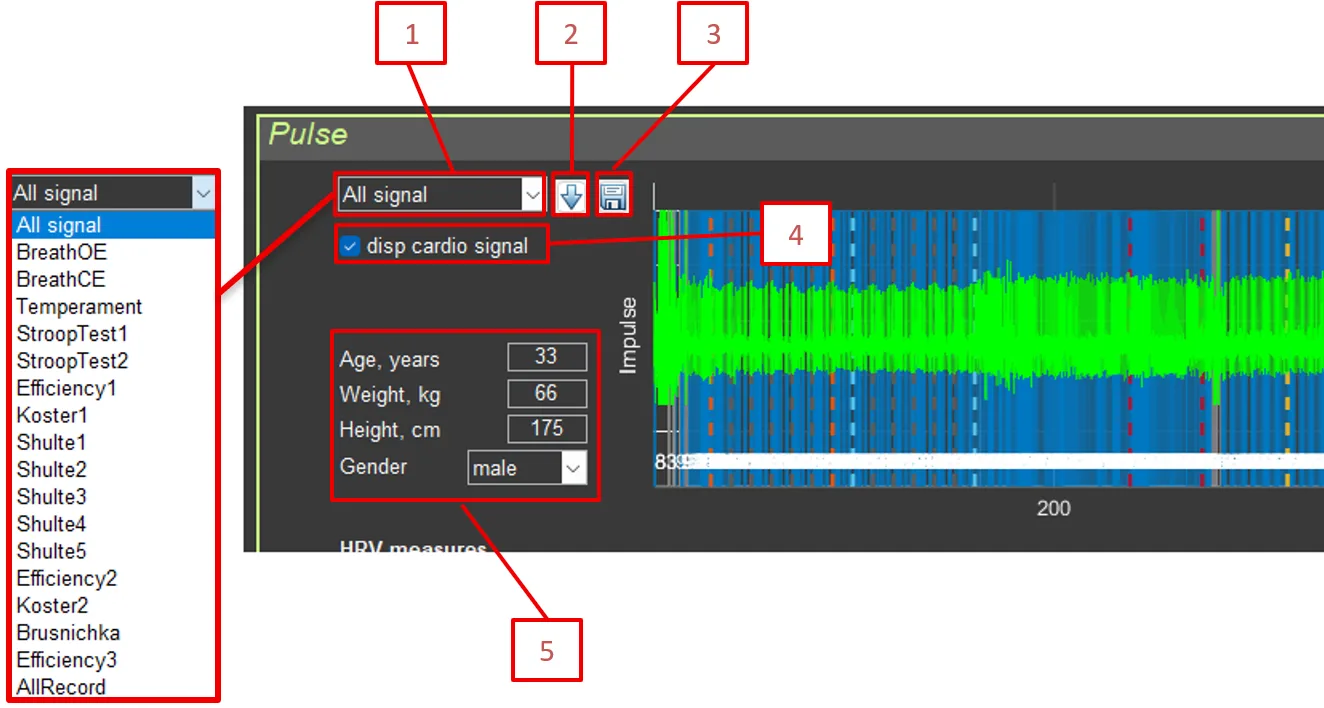
- Sector: Select the section for analysis (All signal or a specific section)
- Calculate HRV measures: Button for recalculating HRV metrics on the ECG segment selected in Sector
- Save RR: Save RR intervals to CSV
- disp cardio signal: Display the original ECG signal
- Age, Weight, Height, Gender: Anthropometric data (used for normalization)
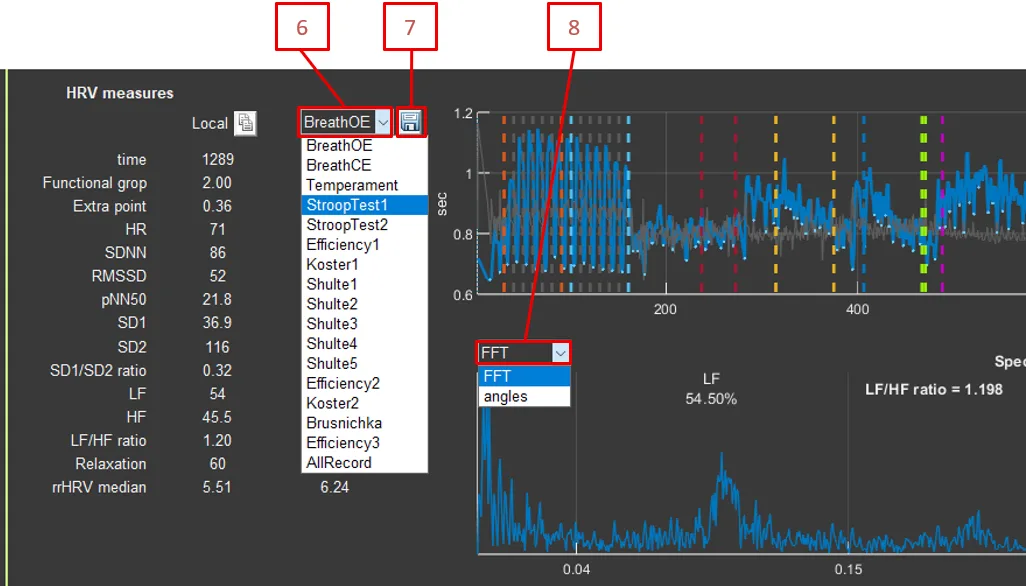
- Sector: Select the section for analysis (AllRecord or a specific section)
- Save HRV: Save HRV parameters by section to CSV
- FFT type: FFT or Angles (angles in the Poincaré plot)
Shift RR: Shift for the Poincaré plot (1–15 intervals)
Average Window: Averaging window for segmental analysis (10–100 intervals)